SysInspire
NSF to HTML Converter
Export Lotus Notes emails to HTML file without any interruption in one go. The software developed in such a way to transfer NSF emails to HTML without missing any data and always preserve internet headers and HTML formatting while NSF to HTML Conversion. After using the tool, users can access NSF emails in the web browser.
(Average Rating 4.8 Based on 920 Reviews)


Key Attributes of Export NSF to HTML Software
Convert Lotus Notes Email to HTML file securly for web browser.
- 100% dedicated tool for convert NSF files into HTML files.
- The tool for NSF to HTML proudly supports all editions of IBM Lotus Notes versions including 10.0.1, 9.0.1, 9.0, 8.5, 8.0.2, 7.0, 6.5 and 6.0 versions.
- Through this software, the user can manage attachments, pictures, and other different objects easily.
- It capable to scan any size of the NSF file, and it can 100% convert NSF emails to HTML files.
- Filter NSF emails date-wise and converts NSF to HTML file.
- Availability of HTML file naming convention as per user choice
- The software doesn’t disturb the folder hierarchy after the conversion.
- Convert bulk folders of NSF to HTML file without any data losses.
- During the conversion from Lotus Notes to HTML, the software keep maintains the email header data into HTML file.
*Demo Limitation: The demo tool gives proper preview of NSF data and allowed to export 25 items per folder.





Batch Export NSF folder to HTML
The software has inbuilt functionality to serve batch NSF folder migration into HTML file.
Filter Emails Messages
For user flexibility, the tool offers to filter emails date-wise and process to convert only filtered NSF emails to HTML files.
Naming Convention Flexibility
This is an advanced feature of this software which allowed users to choose the set of predefined naming conventions for HTML file.
Prominent Key Features of Transfer NSF to HTML Software

Convert NSF to HTML file
The software helps the user to convert and transfer any NSF file of their choice. The converter for NSF to HTML tool takes a few seconds to scan any size of the Notes database file, and after that, the users can easily convert NSF file to HTML file with all email header information such as (To, From, Subject, Date, Time, Attachments). All the process of conversion is 100% automated, easy, and straight-forward.

Featured Bulk Conversion
Another remarkable feature of this software is it helps to convert bulk NSF folders to HTML files quickly. It can export the entire data of the Lotus Notes file quickly and without any type of data interruption. It is highly reliable and is easy to use tool for Lotus Notes to HTML migration. The software makes the process of bulk conversion easy and convenient.

Show Preview of the NSF Data
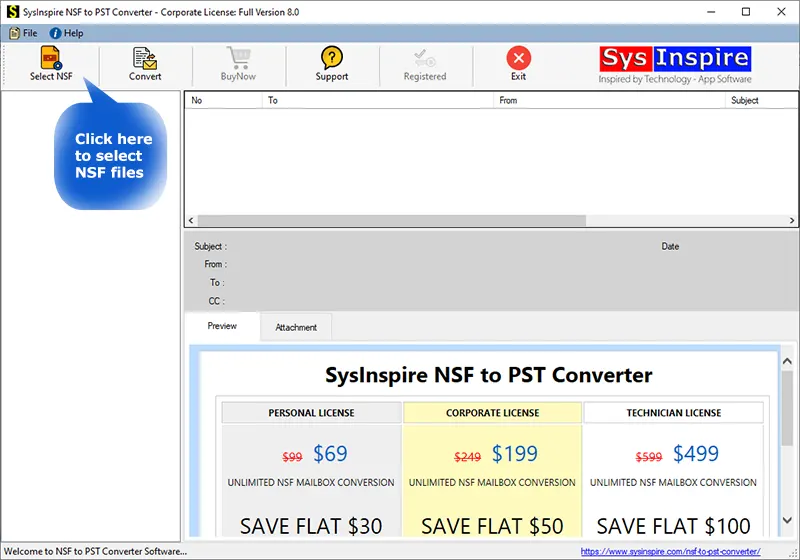
The software can show the preview of Notes data before the actual conversion process begins. After scanning the supplied NSF file, all the data including NSF emails, contacts, calendars, notes, tasks data can visible to the user. The software displays the exact text formatting and styles in the preview.

Export the data with 100% accuracy
Another feature of this software is to export NSF data with 100% accuracy. No single bit of data mess up or altered during the export process. It is a reliable program. Whether the user wishes to convert one HTML file or one thousand files, the software will do with the same 100% accuracy.
Maintain the structure of the folder
The software has different unique points, and one of them is it maintains the folder integrity during the process of NSF conversion to HTML file. The folder structure or size of the folder doesn’t matter a lot. The software generates the same folder structure on the user-selected location as they are in the NSF file.

Naming Convention – Multiple Choices
Convert NSF to HTML tool, offers various kinds of file naming structure. Users can pick any one of the Naming Convention from the list and save the HTML file. More than 9+ different naming options available such as- Subject + Date(DD-MM-YYYY), From + Subject, From + Subject + Date(DD-MM-YYYY), Date(YYYY-MM-DD), and etc..

Filter Email Messages
This is an extraordinary feature of the software for users to filter email messages if they want to export only certain dates of email from NSF to HTML file for quick access. The tool works the same as the user defines the dates (From and To) and only export filtered emails messages from the NSF file to HTML file.
Take a look of Demo Edition of Software
This tool comes with a demo edition also for checking its quality, conversion, and uniqueness. To avail of this, download the demo version tool of the software and save 25 items per folder. Before the saving of the NSF email message, users can also check the preview of NSF file data.
Download SysInspire NSF to HTML Converter for 100% Conversion

*Demo Limitation: The demo edition of software saves 25 items from every folder and subfolder.
Software Specification
Software Requirements
IBM Lotus Notes Client installation required on computer.
Trial Limitations
The demo edition has limition in conversion and allowed to save only 25 items per folders.
Software Info
Version
v8.0
Outlook Version Support
MS Outlook 2019, 2016, 2013 & lower versions.
Notes Version Support
Lotus Notes 10.0.1, 9.0.1, 9.0, 8.5, 8.0.2, 7.0, 6.5 and 6.0 versions.
Language Supported
English, German, Italian, French, Spanish
System Requirements
Processor
Intel® Pentium Class
Operating System
Windows 10, 8.1, 8, 7
Hard Disk Space
150 MB of free hard disk space
RAM
Minimum 2 GB is required
Software Delivery
Electronic
YES
Mode
Delivery by E-mail
Supported Editions
Win 10 & All Below Windows Versions
Frequently Asked Question
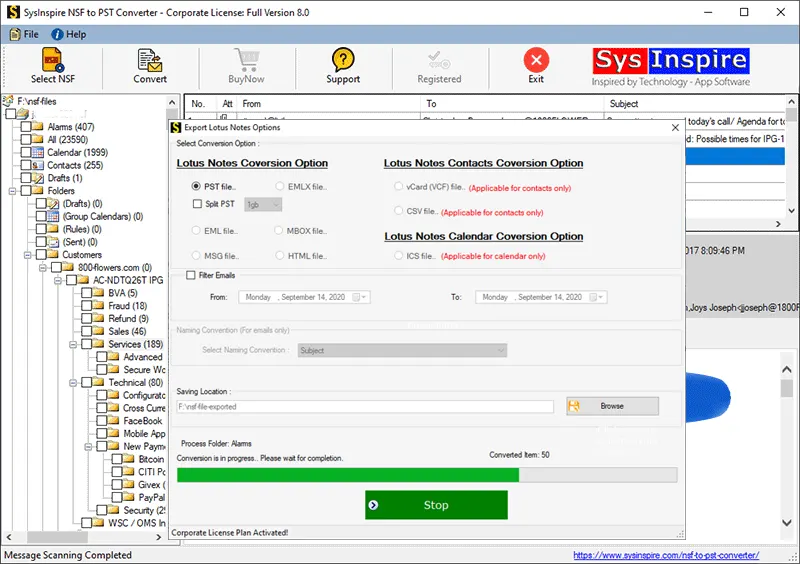
- Download SysInspire NSF to PST Converter tool and install.
- Open the software and select NSF file by clicking on the “Select NSF” button.
- Check the recovered folder listing on left panel of folder hierarchy.
- Select the folder which you wish to export into HTML file.
- Click on the “Convert” button.
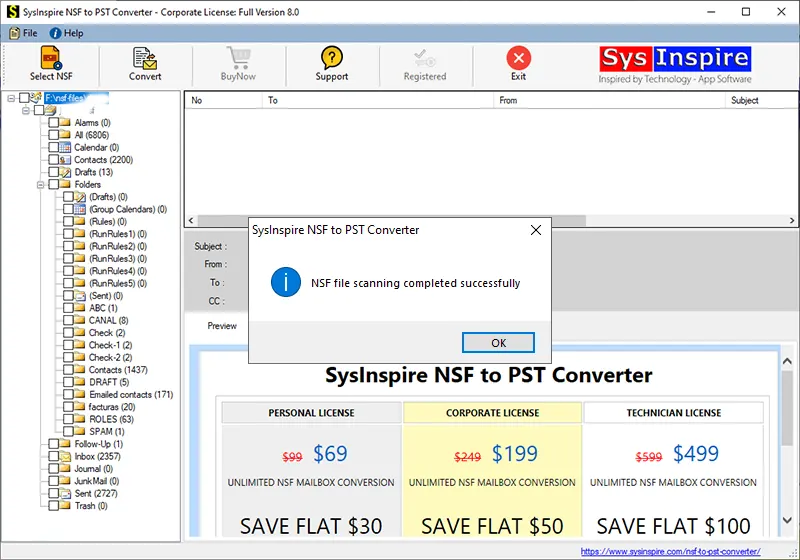
- Select the option “HTML File”.
- Email Filter - If you wish to filter email messages then you can set email filter.
- Naming Convention - If you wish to save HTML file in any universal file name, then you can choose this option.
- Click on the "Browse" button and choose the saving location.
- Click on the button “Convert” and wait for some time for NSF to HTML conversion.
Our Customer Review's
I am greatly pleased with the features of this software. It has made my life easy and convenient. Now, I can easily convert hundreds of my NSF file to HTML. Thanks to the team.
Saloni Dalvi
AustraliaI got your product for Lotus Notes to HTML conversion from google and after installing I realized that I got the perfect tool for my need. This tool exports 20k HTML files from NSF database. Such a great software! Thank you...
Allan Treadwell
Marketing Head (USA)Thank you guys to develop this amazing software. The email filter option is the best option for me to export only required emails when I need it. Keep going on…
Viorel Nicola
DirectorEditorials
Blogs & Articles
Read our various blog topics related to Lotus Notes Migration into various formats.


SysInspire NSF to HTML Converter Toolkit
Startup screnshot of NSF to HTML Converter
NSF file analysis completed screen
Wizard for NSF to HTML Conversion