
Apple ICloud setings for Third-Party App Login
Copy the steps shown below to login with ICloud setting in non-apple apps.
Steps to Generate App-specific Password in ICoud account for Third-Party Apps
Step 1:- 1. Login to Apple account from a web browser and then visit to this link:- "https://www.appleid.apple.com/account/manage"
Step 2:- Click on “App-Specific Passwords” option from the opened screen.

Step 3:- In the next screen, click the "Generate an app-specific password".

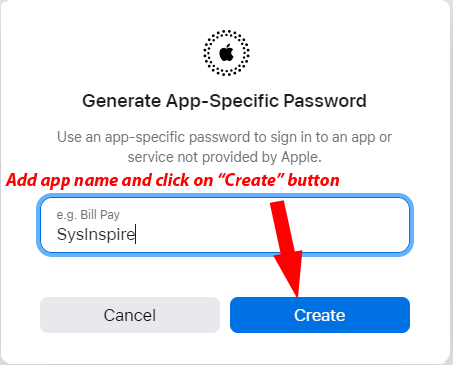
Step 4:- Add an app name and press the "Create" button.
Step 5:- Get the apple app-specific password and copy it and click on "Done".
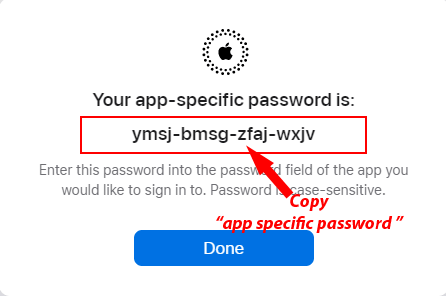
By applying these simple steps, users will get their apple app-specific password. After this, easily use this generated password to login with your apple/ICloud account on any apps that are not provided by Apple.