
Posted by sysinspire
Posted on: June 18, 2026
Categories: EML Converter, Uncategorized
Reading Time: 2 minutes
Are you also trying to import your EML file into CSV but unable to do so? You can read about and use the software mentioned in today’s blog, which could prove to be very helpful.
What is an EML file?
The EML file is a widely used email format supported by email clients such as Windows Live Mail, Thunderbird, Apple Mail, and Outlook Express. Each EML file contains the complete email, including its headers, attachments, and original formatting. Since Outlook cannot directly convert EML files to Zimbra, the safest and most accurate way to migrate the emails without data loss is to use a reliable, professional conversion tool.
The best way to transfer EML files to CSV
SysInspire EML to CSV Converter Software is a powerful and user-friendly tool that allows you to easily convert EML files into CSV format. Whether you want to export data from Outlook, Windows Live Mail, Thunderbird, or any other EML-supported email client, this software converts all emails into an organized CSV file with just a few clicks.
Key Features of eSoftTools EML to CSV Converter Software
- Convert thousands of EML files to CSV format simultaneously without any data loss.
- Preserves all email components, including From, To, Subject, Date, Message Body, and attachment details.
- View a detailed preview of each email before conversion and export according to your preference.
- User-friendly GUI designed for non-technical users—simply select, preview, and click convert.
- Compatible with Windows Live Mail, Outlook Express, Thunderbird, eM Client, Apple Mail, and all other EML-based clients.
- Delivers excellent performance on all versions of Windows 11, 10, 8.1, 8, 7, XP, and Vista.
How to use the SysInspire EML to CSV Converter Tool?
Install and open the EML converter software on your system.

Click the ‘Select EML Folder’ button on the software’s initial screen.
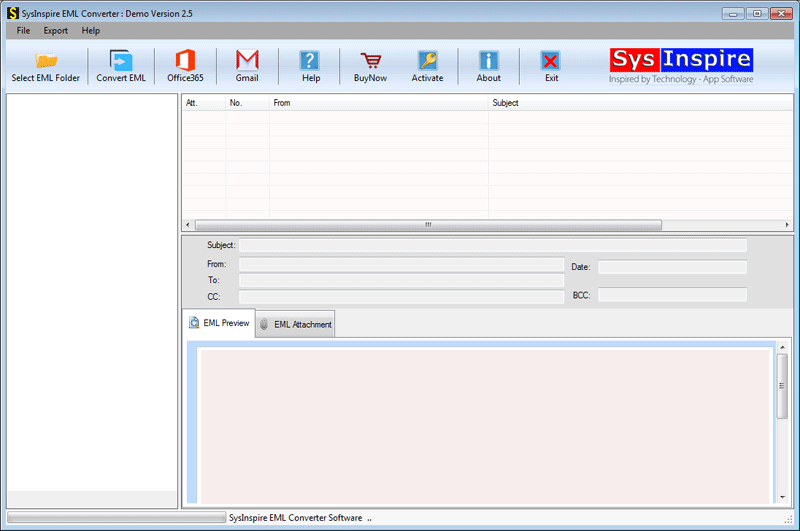
When you select the file, the tool scans it to analyze the data of the entire file.

Select the EML folders you want to convert to CSV format. Then, tap on ‘convert EML.
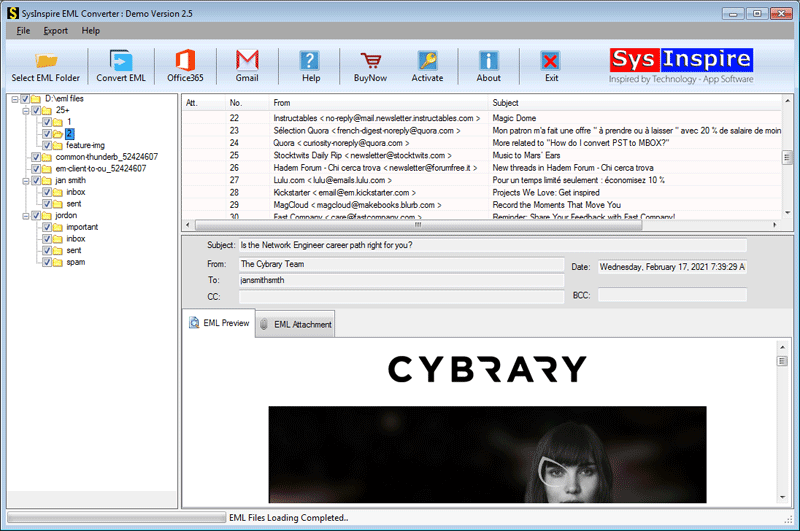
On the next screen, select the option to export to CSV and click on Convert.
Conclusion
I hope you have read my entire blog post. This blog explains how you can convert your EML files to CSV format in simple steps using the SysInspire EML to CSV Converter Software. So, download and try it out today!

