
Introduction
Have you forgotten the Remove Excel file Opening Password and are unable to access your important data? A password-protected Excel file can become difficult to open when the original password is lost. If you have legitimate access to the file, you can use a dedicated Excel password recovery tool to attempt to recover the forgotten password.
Best Choice to Recover Excel File Opening Password – SysInspire Excel Password Recovery Software
SysInspire Excel Password Recovery Software helps users attempt to recover forgotten Excel file passwords using three recovery methods: Brute Force Attack, Mask Attack, and Dictionary Attack.
The software has a simple interface, making it suitable for both technical and non-technical users. It supports commonly used Excel file formats and provides a free demo version for evaluation.
Advanced Features of SysInspire Excel Password Recovery Software
- Supports Excel Files: Supports common formats such as XLS, XLSX, and XLSM.
- Three Recovery Methods: Provides Brute Force, Mask, and Dictionary Attack options.
- Easy to Use: Simple interface allows users to perform recovery in a few steps.
- Multiple Character Types: Supports passwords containing letters, numbers, and special characters.
- Copy Password: Recovered password can be copied directly to the clipboard.
- Windows Compatibility: Works with various Windows operating systems.
- 30-Day Money-Back Guarantee: A 30-day money-back guarantee is available according to the applicable product terms.
Three Methods to Recover Excel Password
1. Brute Force Attack
This method tries different password combinations according to the selected character settings. It can be useful when you do not remember much about the original password.
2. Mask Attack
Mask Attack is useful when you remember some characters or the pattern of your password. By providing known information, you can narrow down the possible combinations.
3. Dictionary Attack
This method checks possible passwords from a dictionary or password list. It can be useful when the forgotten password is based on common words or phrases.
How to Recover Excel File Opening Password?
Step 1: Install the Software
Download and install SysInspire Excel Password Recovery Software on your Windows computer.

Step 2: Select Excel File
Open the software and browse for your password-protected Excel file.

Step 3: Select Recovery Method
Choose Brute Force, Mask, or Dictionary Attack according to the information you remember about your password.

Step 5: Copy Recovered Password
After successful recovery, copy the recovered password and use it to open your original Excel file.
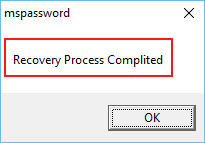
Note: It is recommended to keep a backup of your original Excel file before starting the recovery process.
Free Demo Version
SysInspire Excel Password Recovery Software also provides a free demo version so users can test the software before purchasing. The demo allows users to evaluate its recovery capabilities, subject to the applicable demo limitations.
Frequently Asked Questions
Q1. Can I recover my forgotten Excel opening password?
Yes, if you have legitimate access to the file, you can attempt to recover the forgotten password using Excel password recovery software.
Q2. Which Excel formats are supported?
The software supports commonly used Excel formats such as XLS, XLSX, and XLSM.
Q3. Which recovery method should I choose?
If you remember part of your password, Mask Attack can be useful. Dictionary Attack is suitable for word-based passwords, while Brute Force can be used when little password information is available.
Q4. Is a free demo available?
Yes, a free demo version is available to evaluate the software before purchasing.
Final Words-
Forgetting an Excel file opening password can make it difficult to access important data. SysInspire Excel Password Recovery Software provides three recovery methods—Brute Force, Mask, and Dictionary Attack—to help users attempt password recovery.
With its simple interface, multiple recovery options, and free demo version, users can evaluate the software and choose a suitable method for their password-protected Excel file.

