
Introduction
Have you forgotten the password of your Excel file and cannot access the data stored inside it? A password-protected Excel file can be difficult to open when you no longer remember the correct password. If you have authorized access to the file, you can use dedicated Excel password recovery software to attempt to recover the forgotten password.
Best Tool to Recover Lost Excel File – SysInspire Excel Password Recovery Software
SysInspire Excel Password Recovery Software is designed to help users attempt to recover passwords from protected Excel files. It provides three recovery techniques: Brute Force Attack, Mask Attack, and Dictionary Attack. Users can choose a suitable method based on the information they remember about the lost password.
Advanced Features of SysInspire Excel Password Recovery Software
- Recover Forgotten Excel Password: Helps users attempt to recover passwords from protected Excel files.
- Three Recovery Methods: Provides Brute Force, Mask, and Dictionary Attack options.
- Different Character Support: Recovery settings can work with letters, numbers, and special characters according to the selected configuration.
- Multiple Language Support: Supports password recovery involving different character sets and languages.
- Excel File Support: Designed to work with supported Excel file formats, including XLS and XLSX.
- Copy Recovered Password: Allows users to copy the recovered password for easy access.
- Windows Compatibility: Designed for supported Windows operating systems.
Three Methods to Recover Lost Excel File Password
1. Brute Force Attack
Brute Force Attack checks different possible password combinations according to the selected character settings. It can be useful when you remember little or nothing about the original password.
2. Mask Attack
Mask Attack is useful when you remember certain characters or the general pattern of your password. Entering the known information can reduce the number of possible combinations.
3. Dictionary Attack
Dictionary Attack checks possible passwords from a selected dictionary or password list. It can be useful when the forgotten password was created using common words or phrases.
How to Recover Excel File Password?
Step 1: Install the Software
Download and install SysInspire Excel Password Recovery Software on your Windows computer and launch the application.

Step 2: Select the Excel File
Browse your computer and select the password-protected Excel file that you want to recover.

Step 3: Choose Recovery Method
Select Brute Force, Mask, or Dictionary Attack according to the information you remember about the password.

Step 4: Configure Settings
Set the required recovery options and start the password recovery process. The recovery time may vary depending on the password complexity and selected method.
Step 5: Copy the Recovered Password
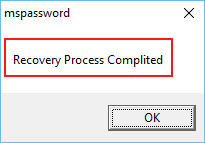
After a successful recovery, the password will be displayed by the software. Use the copy option to copy it and enter it when opening the original Excel file.
Note: Always create a backup of the original Excel file before beginning the recovery process.
Free Demo Version
SysInspire Excel Password Recovery Software provides a demo version that allows users to evaluate its password recovery capabilities before purchasing. The demo version may have certain limitations, so check the current product details for available features.
Frequently Asked Questions
Q1. Can I recover my forgotten Excel password?
Yes. If you have authorized access to the Excel file, you can attempt to recover the forgotten password using Excel password recovery software.
Q2. Which recovery methods are available?
The software provides Brute Force Attack, Mask Attack, and Dictionary Attack.
Q3. Which method should I use if I remember part of my password?
Mask Attack can be useful when you remember specific characters or the password pattern.
Q4. Can the software recover passwords with special characters?
The recovery process can work with different character types depending on the selected recovery settings.
Q5. Is a demo version available?
Yes, a demo version is available to evaluate the software before purchasing.
Final Words
A forgotten Excel password can make it difficult to access an important file. SysInspire Excel Password Recovery Software provides three recovery methods—Brute Force, Mask, and Dictionary Attack—to help users attempt password recovery.
Choose the method according to the information you remember about the password, keep a backup of the original Excel file, and use recovery software only for files you are authorized to access.

