
Introduction
If you are looking to migrate your Outlook OST (Offline Storage Table) file data to a PST (Personal Storage Table) file, you have come to the right place. In this guide, we will show you the best way to migrate your OST files to PST with the help of SysInspire OST to PST Converter Tool.
What is an OST File?
An OST (Offline Storage Table) file is used by Microsoft Outlook to store mailbox data offline. It allows users to work with their emails, calendar events, contacts, and tasks even when they are not connected to the internet. Once connected, Outlook will sync the offline data with the server, making it easier for users to manage their emails in an offline environment.
What is a PST File?
A PST (Personal Storage Table) file is a proprietary format used by Microsoft Outlook for storing mailbox data such as emails, contacts, calendars, and tasks. Unlike an OST file, which is used for offline storage and syncing with a mail server, a PST file allows you to back up, transfer, or store your Outlook data locally.
How do you convert multiple OST files to PST?
The SysInspire OST to PST Converter Software is one of the best software tools available for migrating your OST mailbox to a PST file. It is designed to convert OST files to PST format easily, without any risk of data loss or corruption. Packed with excellent features, this tool is trusted by many users who have achieved outstanding results using it.
Key features of the SysInspire OST to PST converter tool:
- This software can also convert data to Gmail, Yahoo Mail, and Office 365.
- It converts files into various formats such as PST, EML, MSG, EMLX, HTML, and NSF.
- It is designed for both technical and non-technical users, making it accessible to everyone.
- The software is available in multiple languages, ensuring usability for a wide range of users.
- It is risk-free to use, as it has been thoroughly tested.
- You can download this software on any Windows operating system and use it on Windows 11, 10, 8.1, 8, 7, XP, Vista, and other versions.
How to use the SysInspire OST to PST Converter tool?
First, download and install the SysInspire OST to PST Converter on your device.
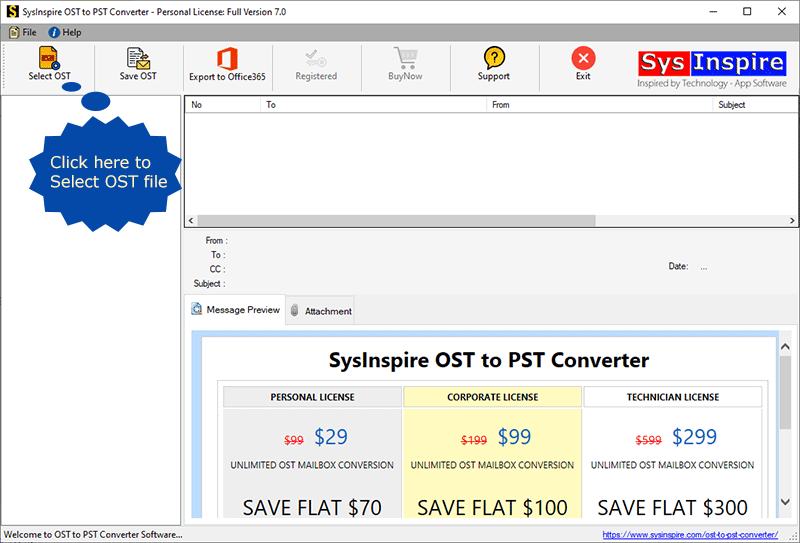
Open the software and click the ‘Select OST’ button on the initial screen.

Now, choose either ‘Single File’ or ‘Bulk OST File’ and click ‘Next’.
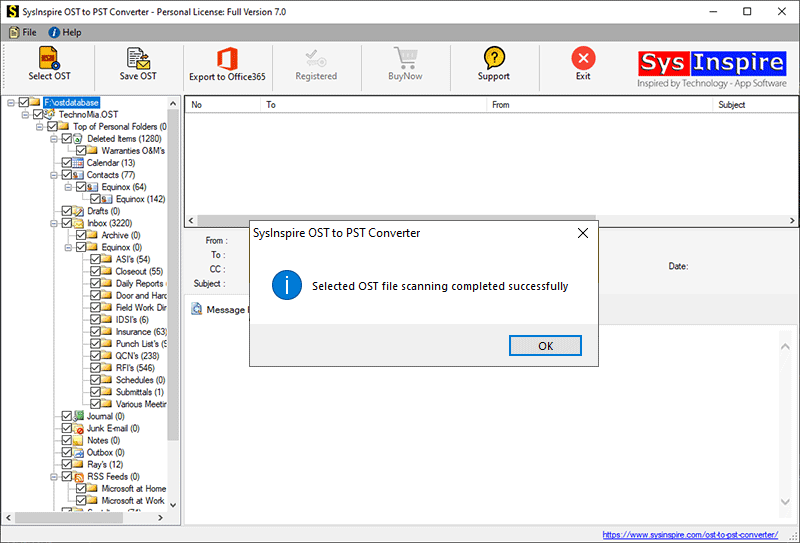
Next, select and add the OST files to the software for the conversion process, then click the ‘Start Scanning’ button.

Extract the OST files and load all mailbox folders and items into the software.
Select the required folders and click the ‘Save OST’ button from the top menu bar.
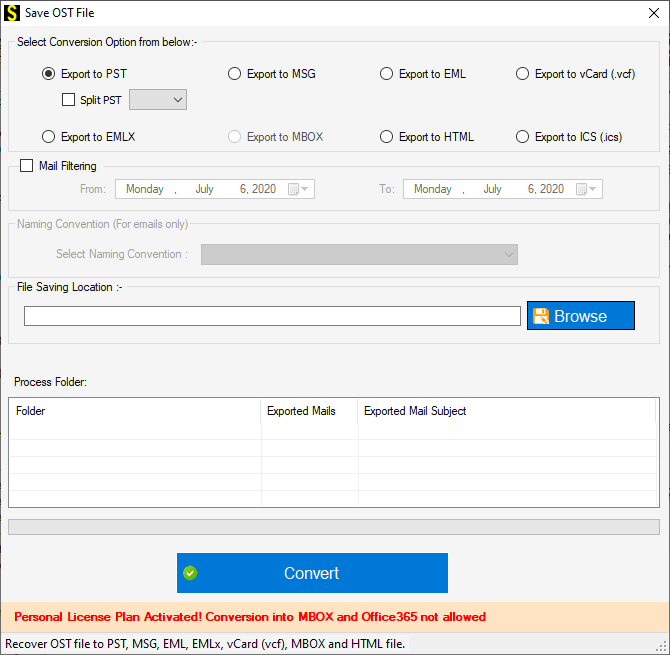
Then, select the ‘Export to PST’ radio button from the list of conversion options.
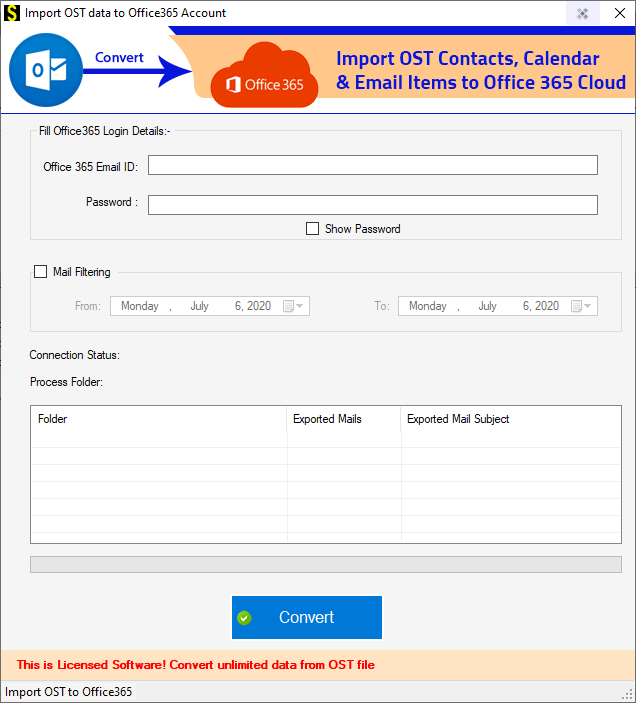
Click the ‘Browse’ button to choose a location to save the resulting files.
In the final step, click the ‘Convert’ button to start the OST to PST conversion process.

Frequently Asked Questions
Can I convert multiple OST files to PST at once?
Yes, the SysInspire OST to PST Converter tool allows you to convert multiple OST files to PST simultaneously. You can easily select and migrate multiple files.
Will I lose my data during the conversion process?
No, this software is designed to safely convert your OST file data. None of your emails, attachments, or other data will be lost during the conversion.
Do I need Microsoft Outlook to convert OST files?
No, you do not need Outlook to perform the OST to PST conversion. This software works without Outlook.
Can I convert OST files to formats other than PST?
Yes, this tool allows you to convert OST files into various other formats, such as EML, MSG, HTML, etc.
How can I try the software before purchasing?
SysInspire offers a free demo version of the OST to PST Converter tool, allowing you to convert a limited number of items from your OST file to PST. You can download and try it out before deciding to purchase the full version.
Conclusion
Migrating Outlook OST mailboxes to PST files is now an easy and secure task with SysInspire OST to PST Converter Tool. Whether you are looking to back up your Outlook data or move it to another system, this tool ensures that the entire process is fast, reliable, and without any risk of data loss. Download the free demo version today and experience the simplicity and effectiveness of this powerful conversion tool.

