
Introduction
Many users want to Export OST Emails Directly to Office 365 but often face difficulties in the process. So, in today’s blog, I will explain how you can convert your OST file to Office 365—hassle-free and without any risk—using a method that many others have successfully employed.
What is the difference between Outlook OST and Office 365?
OST file-
OST file is an offline storage table file which is created in Outlook. Apart from this, there is no need for the internet to use it. It also works to transcribe mails from one place to another. It is also beneficial to use it.
Office 365-
Office 365 is a cloud based server which provides service just like Google, apart from this it also has a mail option, it supports 27×7 phones, you can also transcribe your emails using this Office 365.
How to Export OST file in Outlook Office 365?
Now, any user can Export OST Emails Directly to Office 365 in just a few minutes using the SysInspire OST to Office 365 converter Tool. It is a risk-free, feature-rich software that is very easy to use. Additionally, a free demo version is available for anyone to try out without purchasing the full product.
The Best features of SysInspire OST to Office 365 Converter Tool.
- Using this software you can convert an OST file to Office 365 in 2 to 3 steps.
- It shows all Outlook items: Emails, Contacts, Calendar.
- This software is available in many languages and anyone can use it.
- Being user friendly, it can be used for any purpose, be it technical or non-technical.
- Apart from this, you can also import it in different types of files like PST, EML, MSG, EMLX, HTML, and NSF.
- Apart from Office 365, it also imports OST files into Yahoo and Gmail.
- Also this software is risk free because it has been tested by humans.
- You can download it on any Windows operating system such as 11, 10, 8.1, 8, 7, XP, Vista and other editions.
How to Export OST file in outlook office 365? Step by Step
First download SysInspire OST to Office 365 Converter Tool
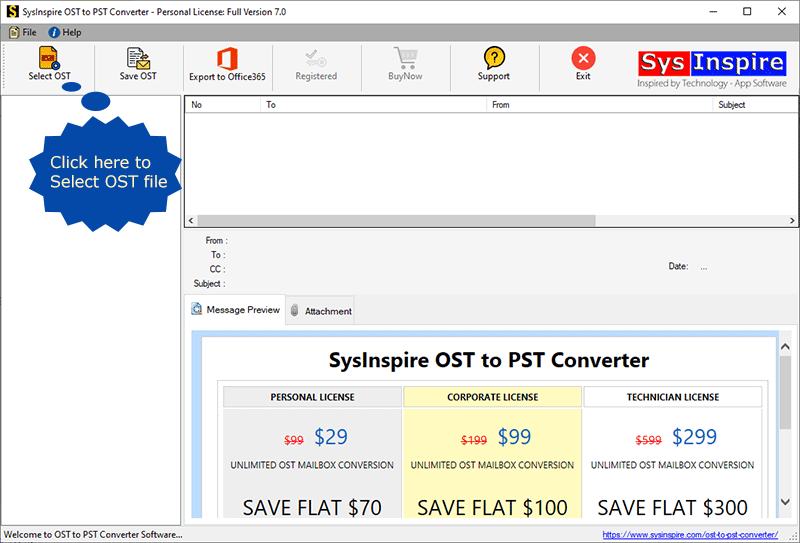
Now click on the selected OST button which is visible on the screen.
Now this software will scan your OST file.

Items to scan all mailbox files in the software panel.

Cloud Import button from the top menu.
Now select the OST file to import to Office 365.
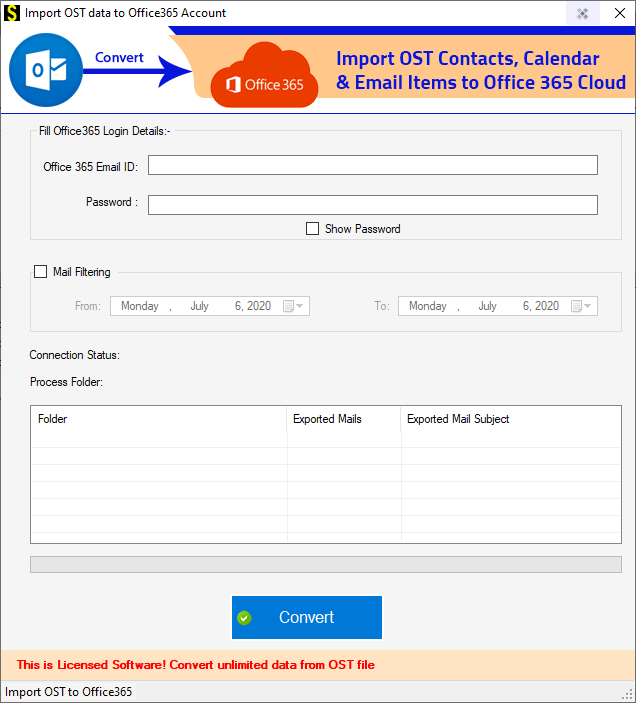
Enter all your Office 365 details and then press click button.

A free demo is also available-
There is also a feature in it which is a free demo which anyone can download and try in their system for free, using which you can export your OST file up to 25 emails in Office 365.
Conclusion-
I hope you have read this blog of mine and you have understood how you can Export OST Emails Directly to Office 365 using SysInspire OST to Office 365 Converter Tool and also got to know about its best features.

