
Posted by sysinspire
Posted on: September 22, 2026
Categories: Uncategorized
Reading Time: 4 minutes
Introduction
In today’s blog, I will show you how to Extract Emails from Outlook OST File Easily and without any data loss. If your OST file isn’t opening for any reason, you’re likely looking for a software solution to extract emails from it, which will help solve the problem.
What is OST file in Outlook?
An OST file (Offline Storage Table) is linked to all systems and is created in Outlook. This file can store numerous emails, allowing you to send them to others. No internet connection is required to use the OST file, and there is no risk of data loss when storing information in it.
Extract Emails from Outlook OST File Easily
The SysInspire OST to PST Converter Software utility may be used to Extract Emails from Outlook OST File Easily and convert them to a PST file. There is no risk involved in using this software, which has the best features. It has been tried by several users with excellent results. Additionally, you can download a free sample to test it out without paying anything.
What are the key features of SysInspire OST to PST Converter Tool?
- This software is available in many languages so it can be used by many users.
- Using this software you can extract emails from your OST file in very easy steps.
- SysInspire OST to PST Converter tool is both technical and non technical.
- There is no risk of any kind in using it because this software has been tested by humans before.
- It exports emails from OST file to all file formats like PST, EML, MSG, MBOX, EMLX, HTML, and NSF.
- Using this software you can export your OST file to any other clouds like Yourmiles, Gmail, and Office 365.
- If the emails in your OST file are not exported, you can get your money back within 30 days.
- You can try this software on any Windows system 11, 10, 8.1, 8, 7, XP, Vista and other editions.
How to use SysInspire OST to PST Converter Tool?
First, download this software on your system.
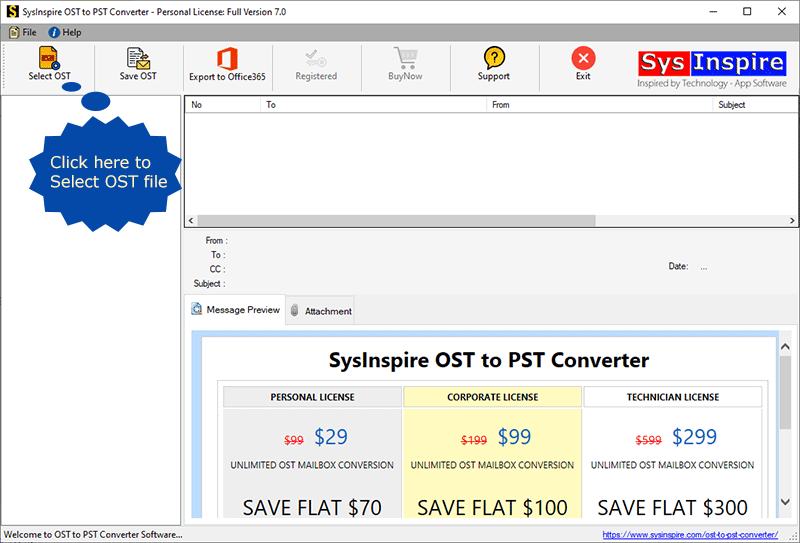
After downloading, you have to click on the OST button given in this software.

Now select the OST emails which you want to extract
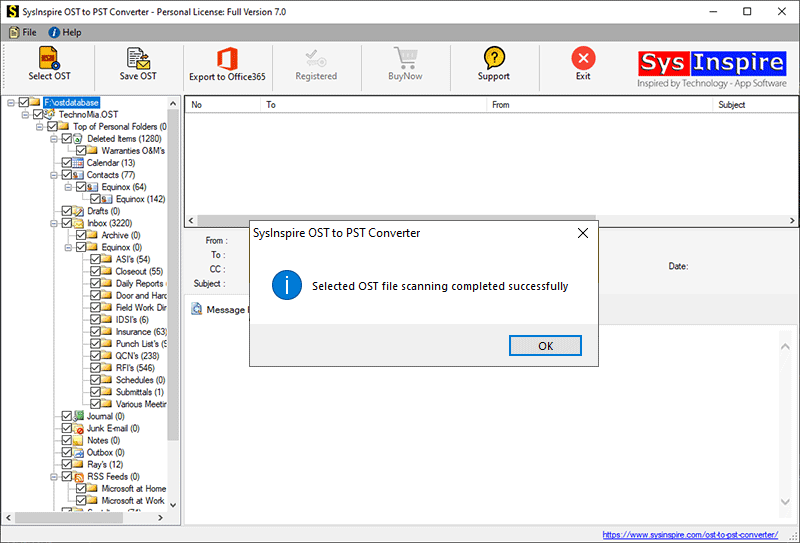
All the emails you selected will now be scanned
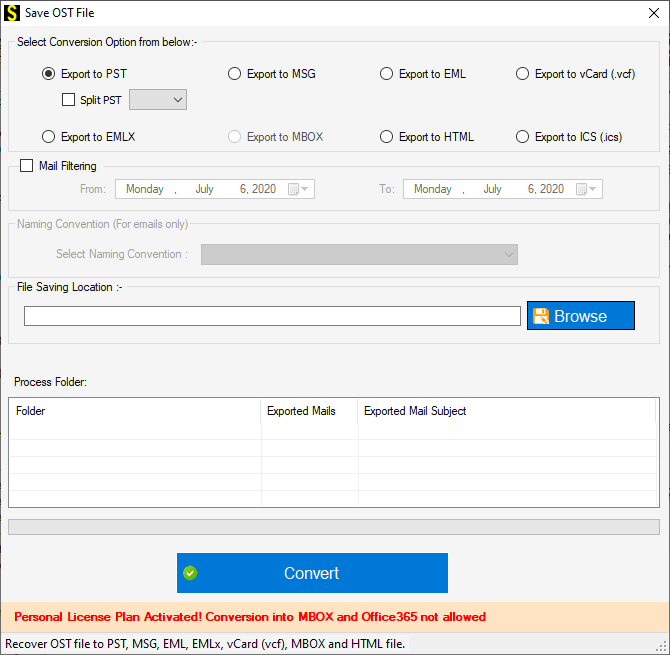
Now the emails in your OST file will be converted to PST in no time

Free Demo Version
There is also a free demo available using which you can convert 25 emails of your OST file to PST for free and you don’t have to pay any money to use it, you can also download and try it for free. Apart from this, by using its free demo, you also get to know that the software is working properly and there is no risk of any kind.
Frequently Asked Questions
1. How can I extract emails from an OST file?
You can use an OST to PST Converter to extract emails easily.
2. Can I convert OST to PST?
Yes, you can convert OST files to PST using dedicated converter software.
3. Is there a free OST converter demo?
Yes, the SysInspire tool offers a free demo to test the conversion.
4. Which formats can OST files be exported to?
OST files can be exported to PST, EML, MSG, MBOX, EMLX, HTML, and NSF.
5. Can I extract emails from a damaged OST file?
Yes, an OST converter may help extract emails from inaccessible or damaged OST files.
Conclusion
I hope you have understood my blog and also got to know how to extract emails from your OST file using SysInspire OST to PST Converter Tool. Apart from this, its best features have also been told and in which files it can export the OST file. Anyone can use it easily and extract emails from their OST file in a short time.
Its free demo has also been told and explained step by step so that no user faces any problem and you can also download it and try it now.

