
Introduction
If you are looking for an easy way to import EML files into PST, today’s blog could be very helpful for you. By using the tools mentioned in this blog, you can import your EML files into PST additionally, these tools offer excellent features that any user can easily utilize.
What is an EML file?
An EML file is a widely used email format supported by email clients such as Windows Live Mail, Thunderbird, Apple Mail, and Outlook Express. Each EML file contains the complete email, including its headers, attachments, and original formatting. Since Outlook cannot directly convert EML files to Zimbra, the safest and most accurate way to migrate the emails without data loss is to use a reliable, professional conversion tool.
The best way to convert EML files to MSG
SysInspire EML to MSG Converter software offers a very simple solution. Using this software, you can easily convert EML files to MSG format. It comes with several excellent features that are highly useful. It allows you to extract multiple emails from EML files simultaneously and convert them to MSG. Many users have utilized this software and achieved excellent results. It ensures no data loss during the process.
Key features of SysInspire EML to MSG Converter software:
- You can convert multiple EML files to MSG format simultaneously in just a few simple steps.
- The tool offers two options: ‘Select EML File’ and ‘Select EML Folder’.
- You can easily convert EML files to MSG and Office 365 formats.
- The tool includes a preview panel, allowing you to view the EML files during the conversion process.
- Thanks to its user-friendly graphical interface, even non-technical users can easily operate this tool.
- A free demo version is available, which any user can try out at no cost.
- The tool is easy to use and is compatible with all Windows operating systems, including Windows 11, 10, 8.1, 8, 7, XP, Vista, and other versions.
How to use the SysInspire EML to MSG Converter tool?
Download and install the SysInspire EML Converter on your system.
Click the ‘Select EML’ button to select the EML file.
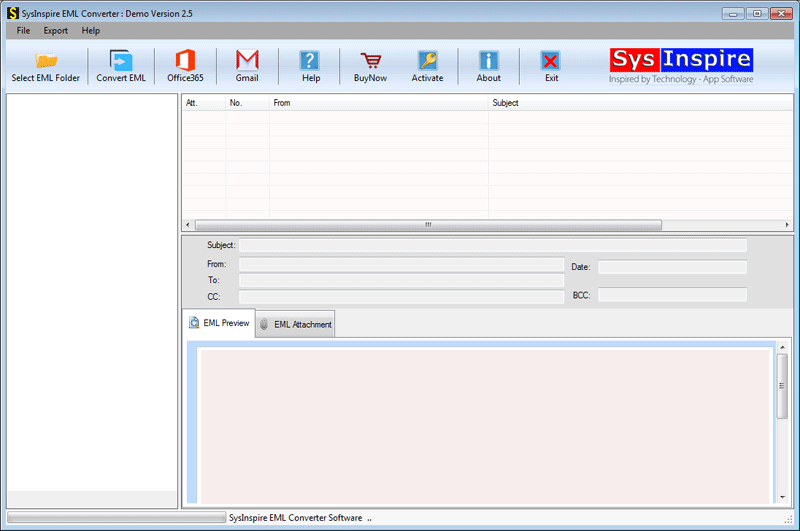
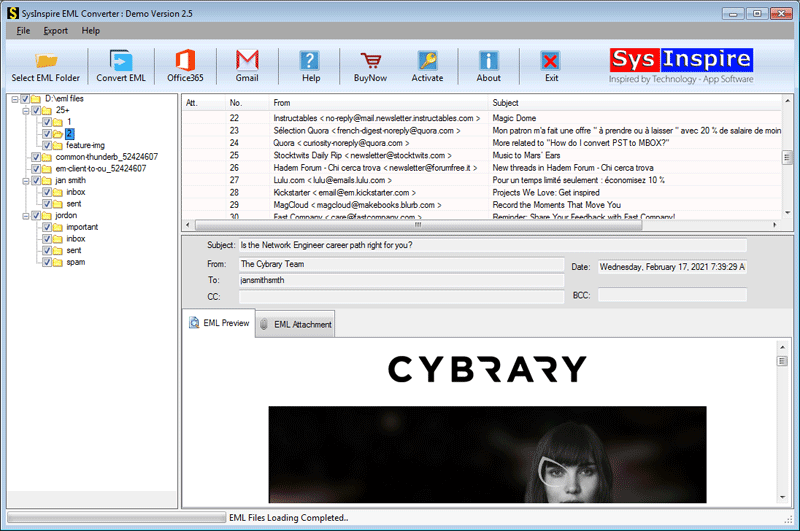
The software now scans the selected EML file and displays all folders and email items.

Select all the necessary email items and proceed to the next step.
In the next window, simply select the export format for the EML file and tap ‘Convert’.

Finally, you will see a confirmation message.
FAQ – (Frequently Asked Questions)
Can I also convert EML files to Office 365 using this tool?
Yes, you can easily convert EML files to Office 365 using this tool.
What happens if I use the demo version of this software?
You can first run the demo version of this software on your Windows system and convert 25 EML emails to MSG format for free.
Could using this software damage the EML file data?
No, absolutely not. There will be no data loss when using the eSoftTools EML to MSG converter software, as the tool has been thoroughly tested.
Conclusion
I hope you have read my blog post in full and now understand how to Convert Multiple EML Files into Single MSG in a few simple steps. This software also offers a free demo that anyone can download and try out at no cost. So, download and try it today!

