
Are you having trouble importing MBOX files into your Gmail account?
Do you have important emails stored in MBOX format from Thunderbird, Apple Mail, or other email clients, and want to securely migrate them to Gmail?
Don’t worry. In this comprehensive guide, we will explain an easy and effective way to transfer MBOX files to Gmail using SysInspire MBOX Converter software. It is a safe and reliable solution that ensures 100% data security without any data loss.
What is an MBOX file?
The MBOX (mailbox) file is a popular email storage format used by Mozilla Thunderbird, Apple Mail, Eudora, Entourage, and many other email clients. It stores all emails in a single file, making them easy to manage, but accessing them directly in Gmail is difficult.
How to Convert MBOX Files to Gmail Easily?
SysInspire MBOX Converter Software is specifically designed to convert and migrate MBOX files directly to Gmail without any technical complications. This software operates independently and supports all major MBOX-based email clients. With this tool, you can securely transfer MBOX emails, attachments, folders, and metadata to Gmail in just a few simple steps.
Key Features of SysInspire MBOX Converter Software
- Converts MBOX files to Gmail, Office 365, Yahoo Mail, and IMAP accounts.
- Supports the simultaneous conversion of multiple MBOX files and bulk migration.
- Allows previewing emails and attachments before conversion.
- No size limit for MBOX files.
- Compatible with Windows 11, 10, 8.1, and older versions.
- Features a simple and user-friendly interface suitable for all users.
How to use SysInspire MBOX Converter Tool?
Install SysInspire’s MBOX Converter on your Window.
Then, tap the ‘Add File’ button.
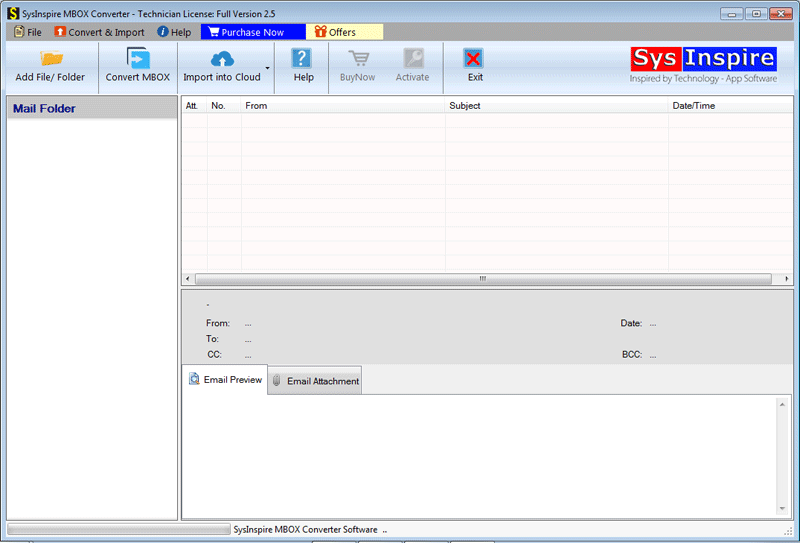
On the next screen, select the MBOX file according to your requirements and click.
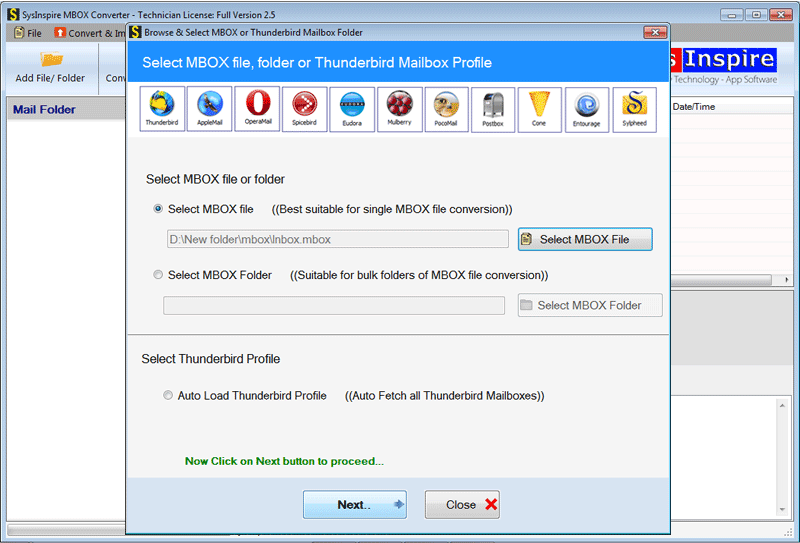
This tool will load all the data and folders present in the MBOX file selected by the user in the step mentioned above.

Select the ‘Import into Cloud’ option and then select the ‘Import to Gmail’ button.
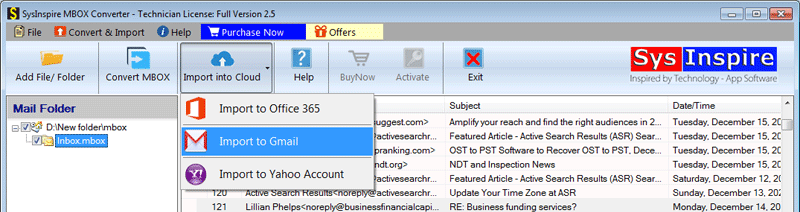
Provide all the account details and get started.
Conclusion
Manually migrating MBOX files to Gmail can be difficult and risky. However, with SysInspire MBOX Converter software, you get a fast, secure, and easy solution to transfer your emails to Gmail without any data loss. Whether you are an individual user or a business professional, this tool ensures a smooth and error-free MBOX to Gmail migration experience.

