Posted by sysinspire
Posted on: November 4, 2026
Categories: Email Migration, EML Converter
Reading Time: 3 minutes
Zimbra is a desktop-based email client that manages emails, contacts, calendar scheduling, tasks, and more. Do you have EML files and wish to import them to Zimbra? If yes, then you are on the right page. In this blog, we have written an automated method for EML Emails to Zimbra.
Overview
EML is a file format widely used to store single email messages. Each email contains a message, attachments, metadata (To, cc, bcc, subject, From) and formatting. EML file is supported by email clients like Mozilla Thunderbird, Outlook Express, Windows Live Mail, etc.
Zimbra is an email client that allows you to manage multiple email accounts with a single interface. It allows you to manage emails, contacts, calendars, tasks, notes, etc.
Why Migrate EML files to Zimbra
- It is compatible with cross-platforms as it can be accessed from any device mobiles, desktops and web browsers.
- It provides advanced security features and protects email accounts by password.
- It manages not only emails but also facilitates task management and calendar scheduling.
Best Software to Migrate EML files to Zimbra
The best software to Migrate EML files to Zimbra files is SysInspire EML to Zimbra Converter Software. With this software, you can convert multiple EML files to Zimbra in bulk. This is the most advanced and reliable software for email conversion.
Key features
- It Migrate EML emails with attachments to Zimbra(.tgz) files.
- Allows you to add multiple EML folders in the software.
- Without the installation of EML email clients such as Outlook Express, Windows Live Mail, Mozilla Thunderbird, etc it converts EML files to Zimbra.
- Enables loading of EML files from different locations of the user system and conversion in bulk.
- Maintains the folder hierarchy and data formatting while converting.
- Software preserves email formatting and maintains email meta properties (To, cc, bcc, subject, Date & Time) during conversion.
- Compatible with all editions of Windows Operating System such as Windows 11, 10, 8.1, 8, 7 & below versions.
Steps to Migrate EML to Zimbra
Download, install and launch SysInspire EML to Zimbra Converter software on your system.
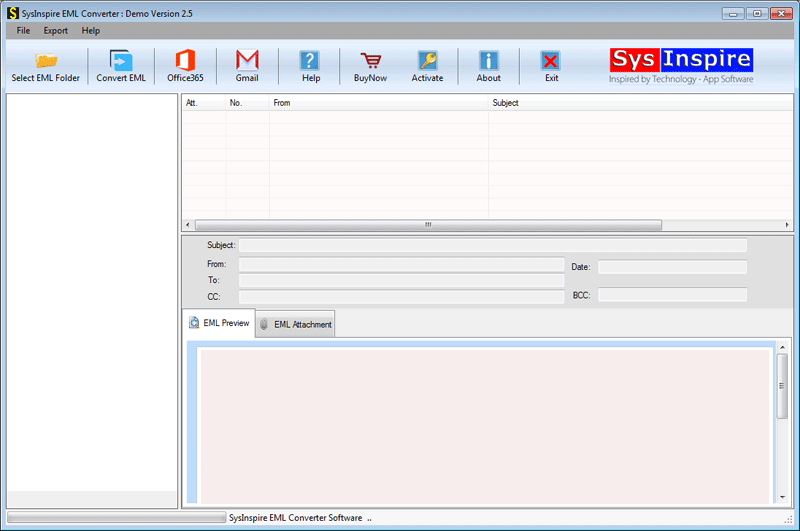
Click on the Add EML folder from the above menu bar and load the EML folder in the software.

Press the Save button and browse the saving location on your system for the Zimbra file.
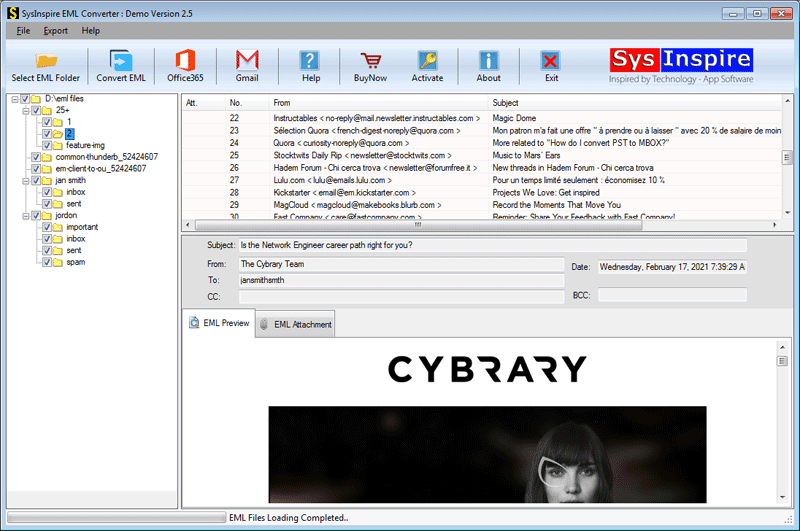
Click on the Convert to Zimbra button to start the conversion process.

Frequently Asked Questions (FAQs)
1. How can I migrate EML files to Zimbra?
You can use an EML to Zimbra Converter tool to convert EML files into Zimbra-compatible TGZ files.
2. Can I migrate multiple EML files to Zimbra at once?
Yes, the automated converter supports bulk migration of multiple EML files and folders.
3. Does the EML to Zimbra migration process preserve email attachments?
Yes, the software preserves email attachments along with the original email content.
4. Do I need to install an EML-supported email client for migration?
No, the automated tool can convert EML files without installing email clients like Thunderbird or Windows Live Mail.
5. Does the software maintain email formatting and folder structure?
Yes, it maintains the original folder hierarchy, email formatting, and metadata such as To, CC, BCC, subject, and date.
Conclusion
In the above blog, we have discussed an automated method to Migrate EML files to Zimbra. A manual method is also available but they are not utilized in bulk conversion. The automated method is the best and most reliable in bulk converting EML to Zimbra.