
In this blog, I’ll show you step-by-step how to open and convert an OST file to PST without Outlook. Many customers struggle with converting their OST files to PST, but with this guide, you’ll learn an easy and reliable solution.
What is the difference between an OST file and a PST file?
OST file-
OST file is an (Offline Storage Table) file which imports emails from one server to another without internet and no data of any kind is required to use the OST file. OST file is created by connecting to all the servers and it contains different types of folders like emails, calendar, contacts, notes, tasks, and many other items.
PST file-
A PST file (Personal Storage Table) is a file built into Outlook, an email client, and is used to transfer emails from one system to another. Anyone can use a PST file. It contains various folders, such as email, calendar, notes, tasks, contacts, and more.
How to Convert OST to PST?
To convert an OST file to a PST file offline, use the SysInspire OST to PST Converter Tool, which converts any type of data from an OST file to a PST file without any loss. Furthermore, this software is user-friendly. Many users face the risk of losing data in their OST files, but using this software eliminates any risk to data. This software offers many features that anyone can use. You can also use the free demo, which is free at the initial purchase.
Convert your OST file using the best keywords of SysInspire OST to PST Converter Tool-
- This software converts OST files to PST offline in very easy steps.
- It can be used by both English and non-English users as it is available in multiple languages.
- SysInspire OST to PST Converter Tool is technical and non-technical, making it easy for any user to use.
- This software first scans the OST file to ensure there is no data compromise.
- Using it, you can easily convert it to any cloud platform, such as Yahoo Mail, Gmail, and Office 365.
- This software converts all types of files, including PST, EML, MSG, EMLX, MBOX, HTML, and NSF.
- It also offers a 30-day money-back guarantee. If your OST file fails to convert to PST, you can get your money back within 30 days.
- You can download and try it on any Windows operating system.
How to use SysInspire OST to PST Converter Tool?
First of all download/install SysInspire Convert OST to PST and install it on your device.
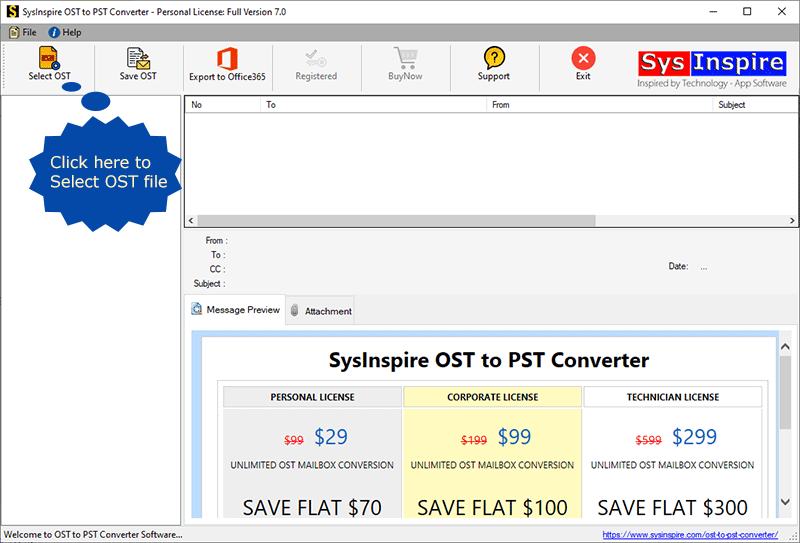
Open the software and press the Select OST button from the first screen.

Now choose either Single File or Bulk OST File and click on Next.
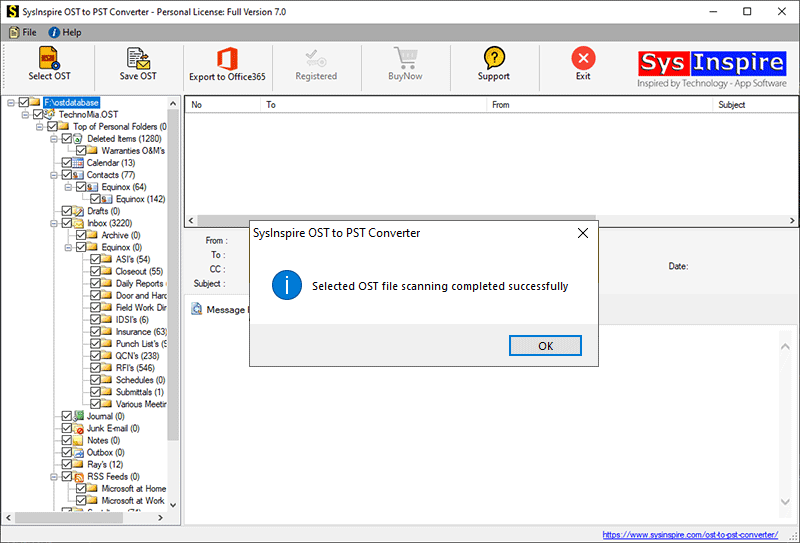
Next, select and add OST files to the software for the conversion process and press the Start Scanning button.

Extract OST files and load all mailbox folders and items into the software.
Select the required folders and press the Save OST button from the top menu bar.
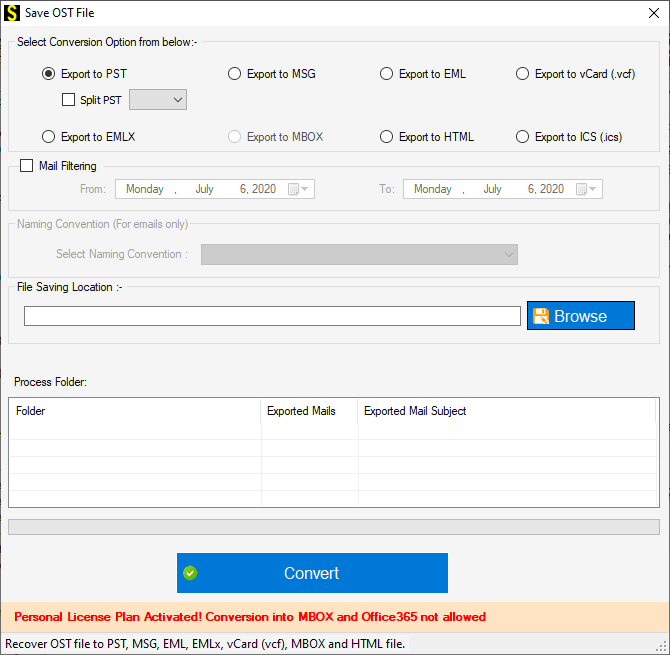
Next, select the Export to PST radio button from the conversion options list.
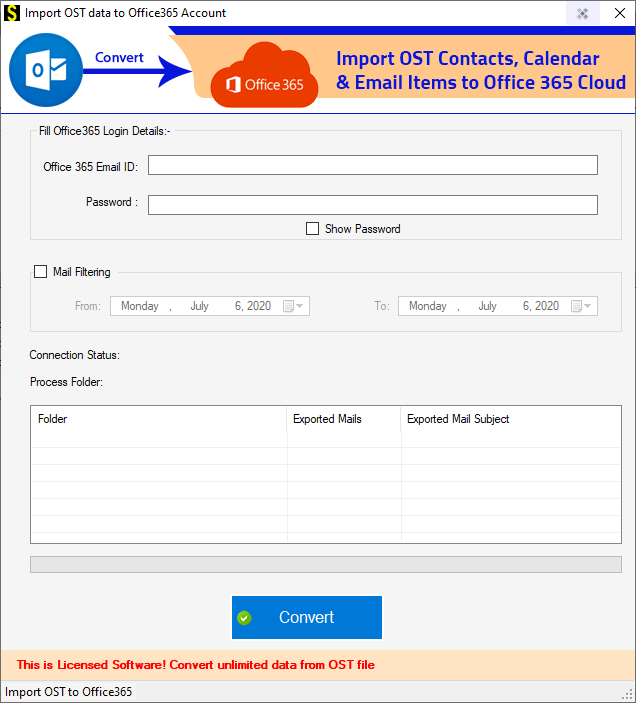
Press the Browse button to select a location to save the resulting files.
In the last step, click on the Convert button to start the OST to PST file conversion process.

Its free demo is available for all users.
You can download it for free and try its free demo, which is free and requires no payment. Additionally, you can convert 25 items from OST to PST using the free demo. Any user can use the free demo as is.
Conclusion
I hope you understood my blog on how you can Open and Convert OST File to PST offline using SysInspire OST to PST Converter Tool which is available with great features and it also explains how you can convert your OST file to PST.

